bismillah

Minggu, 13 Mei 2012

custom ROM nuswan v2

Custom ROM yang akan saya jelaskan disini adalah “KHUSUS diperuntukkan bagi pengguna baru Android Galaxy Mini or common user ”. Sehingga untuk urusan multimedia tidak bisa ditandingkan dengan custom ROM CM7. NUSWAN ROM ini, merupakan custom ROM yang merupakan hasil modding dari minimod X Final yang kemudian ada penambahan beberapa fitur dan aplikasi baru. Selama saya menggunakan custom ROM ini, puji Syukur belum pernah menemukan kendala atau error. Custom ROM ini sangat cocok untuk penggunaan standard sehari-hari, seperti telpon – sms – browsing – chatting – dan multimedia.
  • Apa keunggulan custom ROM – NUSWAN ROM ini?
  1. support A2SD GUI.
  2. Hemat penggunaan RAM, sehingga dapat merespon permintaan user dengan cepat.
  3. App Market, Gmail, Youtube dan Superuser updated with the last su binary.
  4. Otomatis rooted!!! Artinya tidak perlu lagi melakukan rooting.
  5. Pastinya lancar dan stabil.
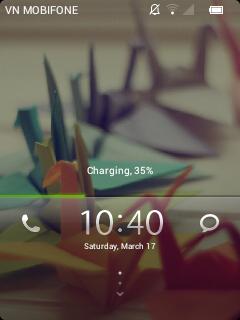
Berikut sedikit SSnya:

  • Langkah-langkah Instalasi Custom ROM:
  1. Download Custom ROM: Link download : CLICK HERE.
  2. Setelah selesai di download, COPY file Custom ROM tersebut ke SD card (Paste di root SD card – tempat paling luar / tidak membuat folder baru).
  3. Matikan smartphone Galaxy Mini (sampai benar-benar off — layar berwarna hitam — bukan warna abu-abu).
  4. Tekan tombol Power Button dan Home Button secara bersamaan.
  5. Lalu tekan sampai muncul menu ClockworkMod Recovery.Ada berbagai pilihan menu dalam CWM:
    - reboot system
    - apply update.
    - wipe data / reset
    - wipe cache partition
    - install zip from sd
    - backup and restore
    - mounts and storage
    - advanced
    * Tombol yang digunakan
    Volume Down = untuk menggerakkan ke bawah.
    Volume Up = untuk menggerakkan ke atas.
    Home Button = untuk memilih menu (OK).
    Back Key = untuk kembali.
  6. Pilih menu wipe data / reset, dengan cara menekan tombol Volume Down, kemudian tekan tombol Home Button. Terus pilih Yes — delete all u . Tunggu sampai prosesnya selesai.
  7. Pilih menu wipe cache partition, dengan cara menekan tombol Volume Down, kemudian tekan tombol Home Button. Terus pilih Yes – Wipe Cache . Tunggu sampai prosesnya selesai.
  8. Pilih menu install zip from sd, dengan cara menekan tombol Volume Down, kemudian tekan tombol Home Button.
  9. Pilih menu choose zip from sdcard, dengan cara menekan tombol Volume Down, kemudian tekan tombol Home Button.
  10. Cari dan pilih file Custom ROM: nuswan_rom_v2.zip yang telah diunduh tadi, lalu tekan tombol Home Button. Tunggu sampai prosesnya selesai / Complete!
  11. Terakhir tekan tombol Back Key dan pilih menu reboot system now.
  12. Selesai. Selamat menikmati roh Nuswan ROM dalam Galaxy Mini kesayangan Anda

Sabtu, 12 Mei 2012

cutom rom sony HD

Flashing Galaxy Mini Custom ROM - Sony HD - Cicipi Galaxy Mini rasa Sony Xperia

Ada lagi nih satu custom rom yang sudah saya coba. Dan cukup bagus. Dengan base mirip Cyanogenmod, namun dengan tampilan Sony jadi agan gak usah ganti2 HH deh..... Inilah Custom ROM Galaxy Mini - Sony HD :


*note : Font standar sudah saya ganti pada screenshot di atas. 

Kelebihannya hampir mirip dengan Cyanogenmod pada postingan saya sebelumnya, namun dengan base OS adalah versi 2.3.7. Dan salah satu kelebihan yang paling menonjol adalah animasi yang smooth. Pokoknya wajib coba bagi yang hobi utak atik android.

Berikut cara install nya :

  1. Flash terlebih dahulu ClockworkMod Recovery. Cara flash bisa dilihat di sini
  2. Download custom ROM Sony HD for Galaxy mini di sini. Transfer ke SDCard android.
  3. Masuk ke ClockworkMod Recovery Mode. Caranya : Matikan ponsel, tekan tombol Home & Power bersamaan sampai beberapa detik setelah ponsel menyala.
  4. Pilih Wipe Data dan Wipe Cache Partition
  5. Di recovery mode, pilih install zip from sd card > choose zip from sdcard, pilih file "SonyHDMini2.0.zip". Tunggu sampai instalasi selesai.
  6. Ulangi Wipe Data dan Wipe Cache Partition lagi!!
  7. Pilih Reboot Phone. Dan nikmati  Galaxy Mini rasa Sony XPERIA.

CUSTOM ROM EMANON V6


    ROM EmanoN V6 For Galaxy Mini
Changelog:* Added Glass Epic & Facinates lockscreens
* long press back key to kill background app
* long press volume key in screen off to skip/back music tracks
* Battery Bar
* clock,signal & Battery options
* Statusbar colour & transparency
* CRT on Animations
* remove registration of FM radio on Airplane mod
* Removed social HUb
* Cache partition Back to EXT 4
* Enable skin chooser in MMS app
* statusbar toggle icons back to original theme
* Intergrated UV kernal in ROm
                                                   
SCREENSHOTSSweep glass to Unlock Lockscreen StyleLockscreen with Missed Calls and Unread Messages NotificationsPuzzle Lockscreen - Solve to UnlockLockScreen Style - Choose from 9 different StylesemanoN v6 Application Tools with Status bar battery style.Clock Customization TweaksSignal Options - Change style of Network Signal BarsStatus Bar Background Custom Color ChooseremanoN Parts - Top level Menu For All Custom Features included in emanoN rom since version 5Status Bar Battery Enabled

 klo mau silahkanDownload Rom

custom rom galaxy mini MIUI V4 Alpha 1

MIUI V4 ROM CM9 Beta 4 MACLAW - [PORT]MIUI V4 Alpha 1
Setelah lama menunggu, akhirnya custom rom miui mendarat juga di handphone android galaxy mini dengan tampilan MIUI yang sangat lazis....
  ane akan memberikan sedikit review tentang MIUI V4.


Working::
boot
GSM (phone/messages/GPRS/EDGE/3G)
Wifi
Bluetooth
HW acceleration (full)
Sound
Headphones
GPS
All sensors (proximity, roration etc)
Market (now you can download all apps available for Galaxy mini with GB)
Fixed animations (now it looks so good)
Facebook sync
Buttons backlight
BLN support
GMail fully works
Browser fully works
ICS keyboard
Games - works as smoothly as on Gingerbread
YouTube(stuttering problem exists)
Deep sleep
Wifi signal indicator.

Annoying problems:-
Flicker(Screen not updating as fast as it should)
Video acceleration

THIS ROM IS BASED ON MACLAW'S CM9 SO IT'LL HAVE THE SAME ISSUES OF HIS ROM.

How to Flash ROM :
Download and copy the zip file downloaded to SD Card
Reboot to Recovery Mode
Select Wipe data and cache
Select install zip from sd card
Select choose zip from sd card
Select the zip file downloaded
Select Yes - Install update
Wait till the Installation is finish
Select Wipe data and cache
Select Wipe cache partition
Select reboot system now


Please refer to bravovn's thread for screenshots.
http://forum.xda-developers.com/showthread.php?t=1521241

I am using stock ROM now so cannot test it again before uploading. If there's problem with the file please inform I'll correct and upload.


custom rom galaxy mini Cakra V1.0

Buat agan2 yang mau tampilan galmin nya maknyus...silahkan cicipi ni custom rom...terbaru...cakra rom v1.0...
Caranya simpel kok..
 Pertama install CWM via Odin. Pindahin file Chakra tadi ke SD Card. Terus masuk recovery mode (Home + Power) pilih Install zip from SD Card trus cari deh file Chakra tadi. Habis itu reboot system dan rasakan perbedaannya. hhe
yang berminant download  disini
 penampakan nya gan..a